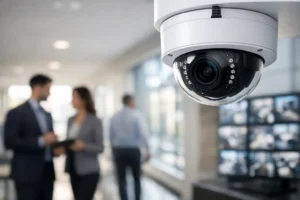

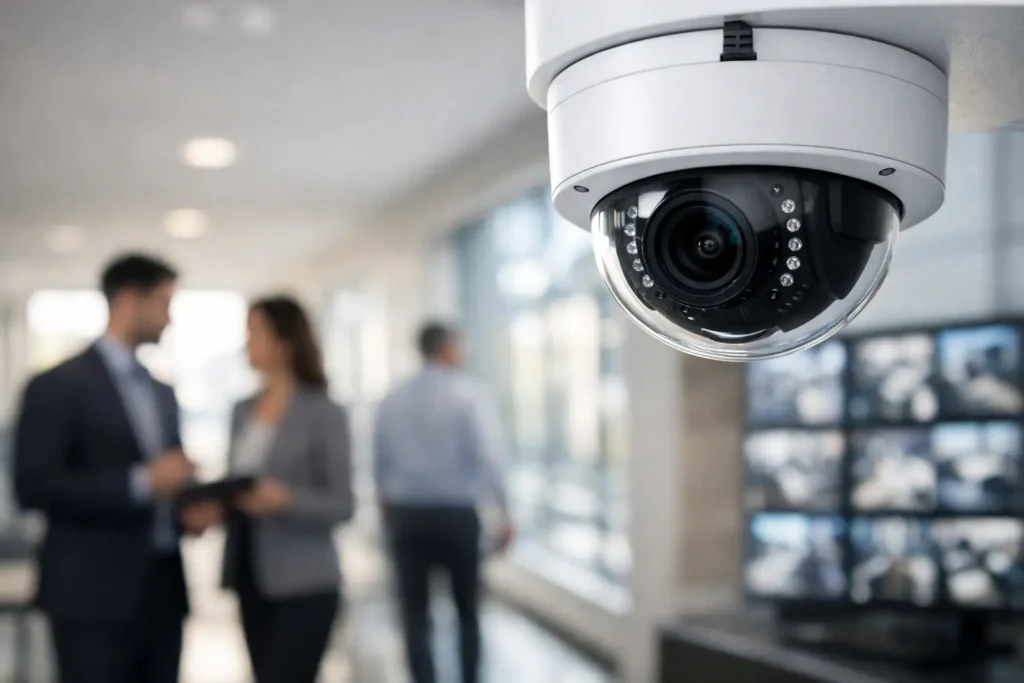
A camera system is only useful when it captures a clear image, stays online, and gives the right person access when something happens. That is why PoE cameras for business are a practical choice for retail stores, warehouses, offices, restaurants, medical clinics, and industrial sites. They combine power and data through one Ethernet cable, reducing installation clutter while giving a professional security system a more dependable foundation.
For a business owner, the real value is not the cable itself. It is having usable video at the loading door, front counter, parking area, cash register, server room, or perimeter when an incident needs to be reviewed. A properly planned PoE system supports that goal better than a collection of consumer-grade wireless cameras installed wherever a power outlet happens to be available.
Why PoE Cameras Fit Commercial Security
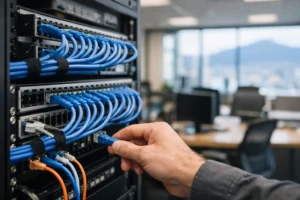
PoE means Power over Ethernet. Instead of running one cable for power and another for network data, an installer runs a single rated Ethernet cable from each camera back to a PoE network switch or recorder. That cable delivers both the power the camera needs and the connection needed to record and view video.
This setup gives commercial properties more control over camera placement. Cameras can be installed where coverage is required rather than limited by nearby outlets. For example, a camera at a warehouse bay door can be positioned for faces, vehicle activity, and package movement without relying on a Wi-Fi signal that may weaken around metal racking, concrete walls, or machinery.
PoE also creates a more centralized system. Cameras, recording equipment, network switching, battery backup, and remote access can be designed as one coordinated installation. If the system is connected to an uninterruptible power supply, key cameras and recording equipment can continue operating through a short power interruption. That is a major advantage over cameras that rely on individual plug-in adapters throughout a building.
What Businesses Gain From a Professional PoE Camera System
The best security design starts with operational needs. A retail manager may need clear point-of-sale coverage and live views of the entrance. A property manager may need recorded evidence at common doors, elevators, parkades, and garbage areas. An industrial facility may prioritize shipping lanes, staff entrances, equipment yards, and restricted zones.
A professionally installed PoE camera system can be tailored to those needs with high-resolution cameras, appropriate viewing angles, infrared night vision, and recording retention that suits the property. The goal is not to install the highest number of cameras. It is to eliminate meaningful blind spots and produce footage that is useful when viewed later.
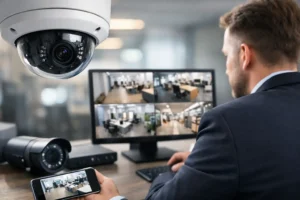
Remote access is another practical benefit. Authorized managers can check live cameras from a phone, tablet, or computer when they are off-site. That can help verify an opening procedure, review a delivery, check whether staff arrived safely, or respond quickly to an alarm notification. Access should be configured carefully, with strong passwords, user permissions, and secure network settings. Convenience should never come at the cost of exposing a business network.
PoE systems also scale well. A growing business can add cameras, expand recording capacity, or connect an additional building when the original network infrastructure has been planned properly. This matters for businesses moving from one location to several, or for facilities that expect to add storage areas, production space, or customer-facing sections over time.
PoE Cameras for Business Need the Right Network
A PoE camera is only one part of the system. The network behind it determines whether video remains stable, records reliably, and can be accessed without affecting normal business operations.
Each camera requires network bandwidth and power. Higher-resolution cameras, multiple live views, and long recording periods place greater demands on switches, cabling, storage, and internet service. A 4K camera may provide more image detail, but it also uses more bandwidth and recording space than a lower-resolution model. In some areas, a well-positioned 4MP or 5MP camera may deliver the better balance of detail, storage, and cost.
Cabling quality matters just as much. Commercial installations should use correctly rated cable, clean terminations, protected outdoor runs, and organized equipment enclosures. Poor cable runs can cause intermittent dropouts that are difficult to diagnose later. A camera may appear functional during a quick test but lose connection during heavy network activity, temperature changes, or bad weather.
For larger properties, separating surveillance traffic from business devices is often wise. Cameras, recorders, point-of-sale terminals, staff computers, guest Wi-Fi, access control, and automation equipment should not be treated as an afterthought on one overloaded network. Proper segmentation and switching protect performance and make future troubleshooting far easier.
Camera Placement Matters More Than Camera Count
A common mistake is choosing cameras based on specifications alone. Resolution is important, but it cannot correct a poor camera angle. A wide-angle camera placed too high may show that someone entered an area without providing a useful facial image. A camera aimed toward bright windows or headlights may struggle without the right image settings and placement.
During a site assessment, a security professional should consider entry and exit routes, lighting changes, likely incident locations, height of installation, expected identification distance, and privacy requirements. Cameras should support a clear purpose. One camera may be intended to observe general activity, while another is positioned specifically to identify a person at a controlled doorway.
Indoor and outdoor conditions also call for different equipment. Outdoor cameras need suitable weather protection and careful placement away from direct glare, heavy rain exposure, and easy tampering. In dim parking areas or yards, infrared performance and supplemental lighting may matter more than pushing resolution higher. For a front counter, wide dynamic range can help preserve details where indoor lighting meets a bright exterior entrance.
Recording, Retention, and Evidence Readiness
Most businesses need more than a live camera feed. They need recorded video that can be searched quickly after a theft, injury claim, unauthorized entry, customer dispute, or property damage event.
A network video recorder, often called an NVR, stores footage locally on surveillance-rated hard drives. The required storage depends on the number of cameras, resolution, frame rate, compression settings, activity level, and desired retention period. A busy warehouse entrance generates more video activity than a rarely used office hallway, so recording schedules can be configured differently where appropriate.
Continuous recording offers a complete timeline, while motion-based recording can conserve storage. Neither is automatically right for every camera. Continuous recording may be preferred at cash handling areas, entrances, or active loading zones. Motion recording may work well in low-traffic rooms, provided it is tuned carefully enough to avoid missed events or excessive false alerts.
Evidence readiness also includes accurate time settings, protected recorder access, health monitoring, and a simple process for exporting clips. When an incident occurs, a manager should not have to search through confusing apps or discover that a hard drive failed months earlier. Regular system checks and maintenance are part of a dependable security plan.
Where Wireless Cameras Still Make Sense
PoE is often the stronger long-term option, but it is not the answer to every situation. Wireless cameras can be useful for temporary coverage, hard-to-cable areas, small spaces, or locations where construction limits cable installation. They may also be appropriate as a short-term addition while a larger system is being planned.
The trade-off is reliability and control. Wi-Fi cameras depend on signal strength, local interference, router capacity, and often individual power adapters or batteries. In a commercial property with concrete, steel, equipment, and many connected devices, those dependencies can create gaps at the worst time. A wired PoE connection is generally the better choice for cameras protecting critical entrances, cash areas, inventory, equipment, and exterior perimeters.
Build Security Around How Your Business Actually Operates
The strongest camera system supports the people using the building every day. It should make it easier to review incidents, oversee key areas, verify deliveries, protect staff, and maintain accountability without turning security into another technical burden.
HTech Knight Security Systems Ltd designs PoE camera installations around the property, the risks, and the network already in place. For businesses across the Lower Mainland, that can include camera coverage, recording equipment, network infrastructure, access control, intrusion alarms, and ongoing support from one local team.
Before choosing cameras, walk the property at the times problems are most likely to occur: after closing, during deliveries, at shift changes, or when the parking area is dark. The right system begins with those real conditions, then turns them into clear coverage, dependable recording, and a plan your team can use with confidence.