
A camera system can look impressive in a product brochure and still fail at the moment a business needs it most. A useful business security camera system review is not about counting cameras or choosing the highest resolution. It is about whether the system captures usable evidence, covers the real risks on the property, stays accessible during an incident, and remains dependable after installation.
For a retail store, that may mean clearly identifying a face at the front entrance and monitoring cash handling. For a warehouse, it may mean covering loading bays, perimeter gates, and after-hours vehicle activity. A medical office may need discretion, controlled access, and carefully designed camera placement that protects privacy. The right system depends on the site, the workflow, and the consequences of a missed event.
What a Business Security Camera System Should Deliver
The best commercial camera systems do four jobs well: deter unwanted activity, provide clear evidence, help managers verify what is happening remotely, and support faster decisions when an alarm or incident occurs. Cameras should not simply record large areas. They need to capture the right details at the right locations.
A wide-angle camera may show that someone entered a parking lot, but it may not provide a usable facial image or license plate. A high-resolution camera aimed poorly can have the same weakness. Coverage design matters as much as camera specifications.
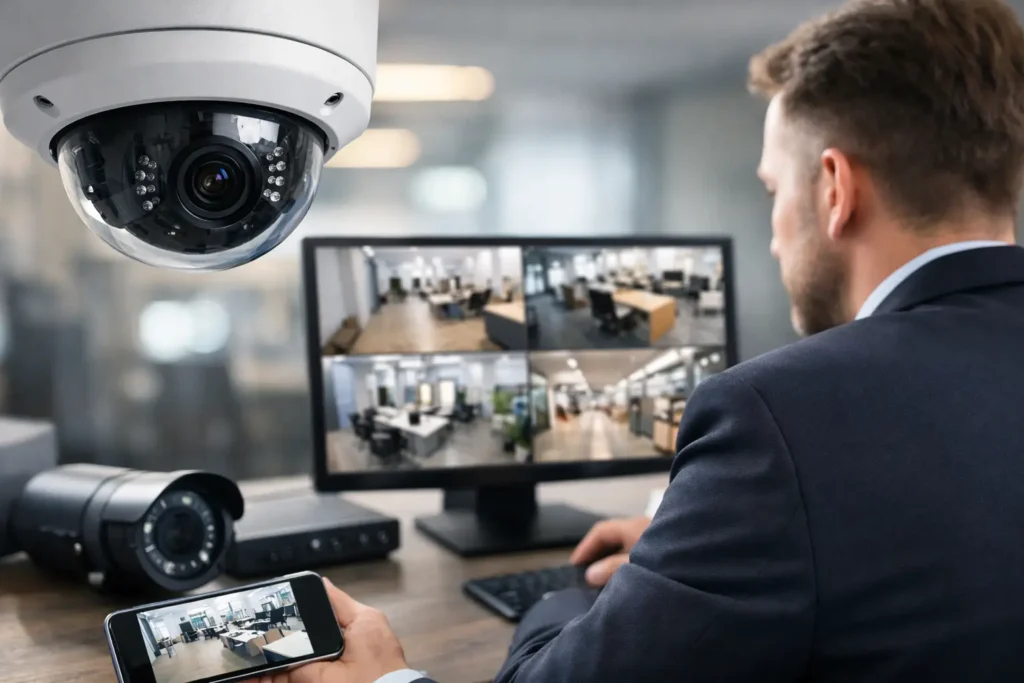
Business owners should also consider how the system will be used day to day. If the owner checks live video from a phone, remote access must be reliable and protected. If managers need to investigate customer disputes or workplace incidents, finding and exporting footage should be straightforward. If footage is only reviewed after a break-in, adequate recording retention becomes the priority.
Camera Quality: Resolution Is Only One Part of the Review
Resolution is a reasonable starting point. Higher-resolution cameras can provide more detail and allow an operator to zoom into recorded footage with less loss of clarity. However, more pixels do not automatically mean better evidence.
Lighting conditions, lens selection, camera height, viewing angle, compression settings, and motion all affect the final image. A camera facing a bright glass storefront can struggle with glare during the day. A dim loading area may require strong low-light performance or supplemental lighting. Fast movement at an entrance can create blur if the camera is not configured for the scene.
For most commercial sites, practical image quality should be tested against specific questions: Can you identify a person entering? Can you see a transaction area? Can you read a vehicle plate at the intended distance? Can the camera provide useful footage at night? Those answers matter more than a number printed on the box.
Fixed Cameras, Varifocal Cameras, and PTZ Units
Fixed cameras work well when the area and required field of view are known. They are reliable for entrances, hallways, sales floors, receiving doors, and targeted points such as cash registers. A varifocal lens gives the installer more flexibility to set the correct viewing distance and angle during installation.
PTZ cameras can pan, tilt, and zoom, making them useful for larger yards, parking areas, and industrial properties where active monitoring is part of the plan. They have limits, however. A PTZ camera can only look in one direction at a time. It should complement fixed coverage, not replace it at critical entry points.
Coverage Should Follow Risk, Not Convenience
A strong camera layout begins with a site assessment. The installer should identify public entrances, staff entrances, emergency exits, cash points, restricted areas, shipping and receiving zones, parking lots, exterior pathways, and blind spots. Camera placement should account for how people actually move through the property.
Mounting cameras only where cabling is easiest often creates gaps. The rear delivery door may be more vulnerable than the front entrance. A warehouse aisle may need coverage at both ends because stored inventory blocks a single camera’s view. In a restaurant, cameras may need to support loss prevention while avoiding areas where privacy expectations are higher.
The objective is not to place cameras everywhere. It is to create purposeful coverage with clear zones of responsibility. A professionally designed system also considers tampering risk. Exterior cameras need suitable mounting height, weather protection, and positioning that limits easy obstruction while preserving a useful view.
Storage and Retention Are Often Overlooked
Recording storage determines how long footage remains available before it is overwritten. This is one of the most common weaknesses in poorly planned systems. A business may assume it has 30 days of footage, then discover that higher resolution, continuous recording, or additional cameras reduced retention to a week.
The required storage depends on the number of cameras, resolution, frame rate, recording schedule, compression method, and the importance of the footage. Continuous recording provides a complete timeline but uses more capacity. Motion-based recording can extend retention, although it must be configured carefully to avoid missed activity or excessive false recordings.
There is no universal retention period. A small office with few incidents may have different needs than a busy retail location, strata property, or warehouse with regular deliveries. The important step is to define a retention target before equipment is selected, then confirm it after the system is commissioned.
Cloud storage can provide off-site protection and convenient access, while local network video recorders can offer predictable performance and control. Many businesses benefit from a hybrid approach. The trade-off is cost: cloud services may involve ongoing fees, while local storage requires properly sized equipment, maintenance, and physical protection.
Network Reliability and Cybersecurity Cannot Be Separate Issues
Modern IP cameras rely on the business network. That creates useful capabilities, including remote viewing, mobile alerts, and centralized management across multiple sites. It also means a camera deployment must be designed with network capacity and security in mind.
A system with many high-resolution cameras can place real demand on network switches, cabling, and internet bandwidth. Poorly planned installations can slow business operations, create unstable video streams, or make remote access frustrating when it is needed most. Power over Ethernet equipment, dedicated network segments where appropriate, and tested cabling help keep the system stable.
Cybersecurity deserves the same attention as physical camera placement. Default passwords should never remain in use. Devices should receive supported firmware updates, remote access should be set up securely, and user permissions should match each employee’s role. A former employee should not retain access to live video simply because an account was never removed.
Professional Installation Changes the Result
DIY cameras can be suitable for a very small, low-risk space. They are less suitable when a business needs reliable coverage, clean cable routing, protected network equipment, proper recording retention, and a system that staff can operate under pressure.
Professional installation adds value before the first camera is mounted. It includes assessing sightlines, selecting the right equipment for indoor and outdoor conditions, planning cable paths, configuring recording settings, securing remote access, and testing footage at different times of day. The final handover should include training, clear login procedures, and confirmation that the customer knows how to search, export, and preserve video.
For businesses in Surrey, Delta, and across the Lower Mainland, local service matters after the install as much as it does on installation day. A camera that goes offline, a recorder that reaches capacity, or a damaged exterior cable requires a timely response. HTech Knight Security Systems Ltd designs systems around those operational realities, with ongoing support available when equipment or site needs change.
How to Judge a Quote Fairly
A lower quote is not always lower cost. Compare proposals by coverage outcome, not just the camera count. One installer may include appropriate storage, commercial-grade network hardware, configuration, training, and warranty support, while another may only supply basic cameras and a recorder.
Ask whether the proposal identifies coverage areas, expected retention, nighttime performance, remote viewing method, and future expansion options. Confirm what happens if a camera, hard drive, power supply, or network component fails. A clear answer to service and warranty questions is a sign that the provider expects the system to perform for years, not merely until the invoice is paid.
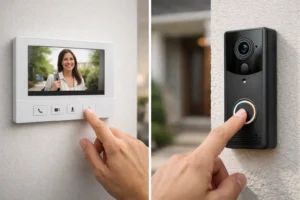
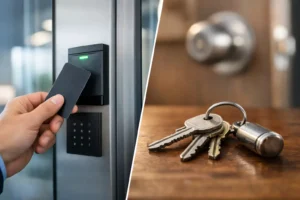
Also consider integration. Security cameras can work alongside intrusion alarms, access control, video intercoms, and monitored services. Integration can make incident response more efficient, but only when it solves a real operational need. A small store may simply need dependable cameras and alert notifications. A larger facility may benefit from linking door events to video so managers can verify who entered a restricted area and when.
A camera system earns its value quietly: the footage is clear, the important areas are covered, and the system is ready when a question, dispute, or emergency arises. Start with the risks on your property, then choose a design and support plan that will still make sense as your business grows.