If you run a business in Delta, Surrey, or anywhere in the Lower Mainland, securing your property is not optional anymore. Theft, unauthorized access, and internal security risks are real problems for offices, warehouses, retail stores, and multi-unit buildings.
The right access control system doesn’t just lock doors – it gives you full control over who enters your property, when they enter, and what areas they can access.
At HTech Knight Security Systems, we help businesses across Delta choose and install the right access control solutions based on their specific needs.
In this blog, you’ll learn the 4 types of access control systems, how they work, and most importantly – which one is right for you..
What Is an Access Control System?
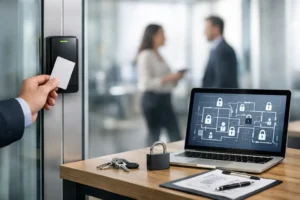
An access control system is a security setup that decides who gets in and who does not. It controls entry to physical spaces like buildings, server rooms, restricted departments, or gated areas, as well as access to digital resources like files and networks.
The goal is straightforward: make sure only the right people can get to certain areas at the right time.
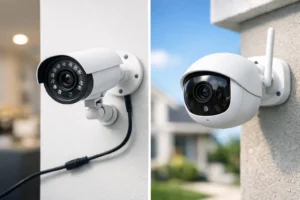
Modern systems go far beyond a traditional lock and key. At HTech Knight, we install access control solutions that track who entered a space and when, send alerts for unusual activity, and integrate seamlessly with CCTV cameras, alarm systems solutions, and smart home or building automation platforms.
Why Does Access Control Matter for Delta Businesses and Homeowners?
Here are a few reasons property owners across Delta, Surrey, Richmond, Burnaby, and Coquitlam invest in proper access control:
Protecting sensitive areas is a top priority. Not every employee or visitor needs access to every part of your property. Restricting entry to stockrooms, server closets, HR offices, or mechanical rooms protects both assets and people.
Preventing unauthorized entry reduces your exposure to theft, vandalism, and liability. If something goes wrong, you also have a clear audit trail to review.
Meeting insurance and compliance requirements is increasingly important. Many commercial insurers now require access control documentation as part of coverage terms.
Streamlining operations is another benefit. A good system can double as an attendance tracker and give you real-time visibility into who is on-site, which is especially useful for shift-based businesses.
Now let us look at the four main types.
Types of Access Control Systems
1. Discretionary Access Control (DAC)
What Is It?
Discretionary Access Control, or DAC, is one of the most flexible systems available. In this model, the person who owns a resource (a room, a file, a folder) gets to decide who else can access it.
Think of it like owning a house. You decide who gets a key. You can hand out copies to family members, change the locks, or take back access whenever you want.
How Does It Work?
In a DAC system, each resource has an access control list. This list shows which users or groups can access it and what they are allowed to do, such as read, edit, or delete files, or physically enter a space.
Example: A property manager in North Delta sets permissions so that maintenance staff can access utility rooms but not tenant storage areas. If a contractor leaves, access is removed immediately.
Where Is It Used?
DAC works well for small to medium-sized businesses, residential properties, and multi-unit buildings where the owner or manager wants direct, hands-on control over who gets in.
Pros
- Very flexible and quick to set up
- Easy to grant or revoke access on the fly
- Works well for properties with frequently changing staff or contractors
Cons
- Higher risk of human error since one wrong permission change can go unnoticed
- Harder to manage consistently across larger properties or teams
- No central oversight, which can lead to gaps in security policies
2. Mandatory Access Control (MAC)
What Is It?
Mandatory Access Control, or MAC, is the most strictly structured of the four types. In this model, a central authority sets all the rules. Individual users cannot change who has access, even if they technically own the resource.
Think of it like a government classified document. The document carries a security label. Only someone with the matching clearance level can open it, and no individual can override that restriction.
How Does It Work?
Every piece of data or physical space is assigned a classification level. Every user is assigned a matching clearance level. Access is only granted when the user’s clearance meets or exceeds the classification of the resource.
Example: In a healthcare clinic, patient records might be classified as highly sensitive. A front desk receptionist can access appointment data but cannot view clinical notes or prescription history. The rule is set at the system level and cannot be changed by individual staff members.
Where Is It Used?
MAC is most common in government facilities, medical offices, legal firms, and any environment in the Lower Mainland where data security is critical and non-negotiable.
Pros
- Offers the highest level of security and data protection
- Removes the risk of individual users making poor access decisions
- Significantly reduces insider threats
Cons
- More complex and costly to set up and maintain
- Rigid structure makes it harder to adapt when operational needs change quickly
- Can feel restrictive for staff who need access to multiple areas throughout the day
3. Role-Based Access Control (RBAC)
What Is It?
Role-Based Access Control, or RBAC, is one of the most widely used systems in commercial buildings today. Instead of assigning permissions to individual people, permissions are attached to roles. Users are then assigned to roles based on their job function.
Think of it like a hotel keycard system. The housekeeping card opens guest rooms and supply closets. The front desk card opens the check-in office and lobby areas. The general manager card opens everything. Each role has exactly what it needs, nothing more.
How Does It Work?
An organization defines roles such as “Sales Staff,” “Warehouse Supervisor,” or “Building Manager.” Each role is given a matching set of access permissions. When a new employee joins, they are assigned a role and the right access is configured automatically.
Example: A new employee starts at a retail store in Surrey. They are assigned the “Sales Associate” role. They can access the sales floor and staff break room. They cannot access the manager’s office, the cash office, or the back storage area reserved for supervisors.
Where Is It Used?
RBAC is a strong fit for businesses of all sizes where staff have clear, defined roles. It is especially popular in retail environments, commercial offices, warehouses, medical clinics, and multi-tenant commercial buildings across Delta and the Lower Mainland.
Pros
- Much easier to manage than setting permissions for each person individually
- Scales well as your team grows or changes
- Lowers the risk of staff having more access than their job actually requires
- Supports compliance by keeping access aligned with job responsibilities
Cons
- Setting up roles correctly requires a clear understanding of your business structure upfront
- Can lead to too many custom roles over time if not managed carefully
- May not be flexible enough for staff who regularly switch between responsibilities
4. Rule-Based Access Control (RuBAC)
What Is It?
Rule-Based Access Control, or RuBAC, controls access based on a set of conditions rather than user identity or role alone. The system checks whether those conditions are met before granting entry.
Think of it like a building that only lets people in during business hours. Even if you have a valid keycard, the door stays locked if you show up at 2 AM on a Sunday.
How Does It Work?
A system administrator defines rules around conditions like time of day, location, device, or the sensitivity of the area being accessed. Every time someone tries to enter, the system checks their request against the active rules.
Example: A commercial warehouse in Burnaby sets a rule that staff can only access the loading bay between 6 AM and 8 PM on weekdays. If a worker attempts entry at 10 PM, access is denied even if their keycard is valid.
RuBAC is often used alongside RBAC to add an extra layer of security. For example, a business might use RBAC for general staff permissions and then apply RuBAC time restrictions to certain high-risk zones.
Where Is It Used?
RuBAC works well in warehouses, data centers, commercial facilities, and any Delta or Lower Mainland property that needs detailed, conditional control over who can access what and when.
Pros
- Allows very specific access policies based on time, location, or other conditions
- Pairs well with other access control types for layered security
- Scales with your property as rules can be added without overhauling the whole system
- Ideal for properties with shift workers or time-sensitive security requirements
Cons
- Writing and managing a comprehensive set of rules can get complicated
- Rules need regular review as business operations change
- Overly strict rules can occasionally lock out legitimate users at the wrong time
Quick Comparison: Which System Is Right for You?
Type | Best For | Security Level | Flexibility |
DAC | Small businesses, residential & multi-unit properties | Moderate | High |
MAC | Medical offices, legal firms, government facilities | Very High | Low |
RBAC | Commercial offices, retail, warehouses, clinics | High | Medium |
RuBAC | Shift-based businesses, warehouses, data-sensitive facilities | High | High (conditional) |
Many Delta and Lower Mainland properties use more than one type. A common setup is RBAC for general access management combined with RuBAC time restrictions for specific zones like server rooms, cash offices, or after-hours access points.
How Is Access Actually Granted? Your Options with HTech Knight
Beyond the policy model you choose, access control systems also differ in how users physically prove their identity. At HTech Knight Security Systems, we install and service several methods across Delta, Surrey, Richmond, Burnaby, and Coquitlam:
PIN codes or keypads are simple and cost-effective. They work well for low-traffic entry points, though codes can be shared or forgotten.
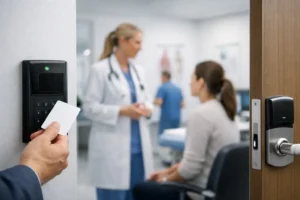
Key cards and fobs are widely used in commercial and multi-unit residential buildings. They are fast, easy to use, and quick to deactivate if lost.
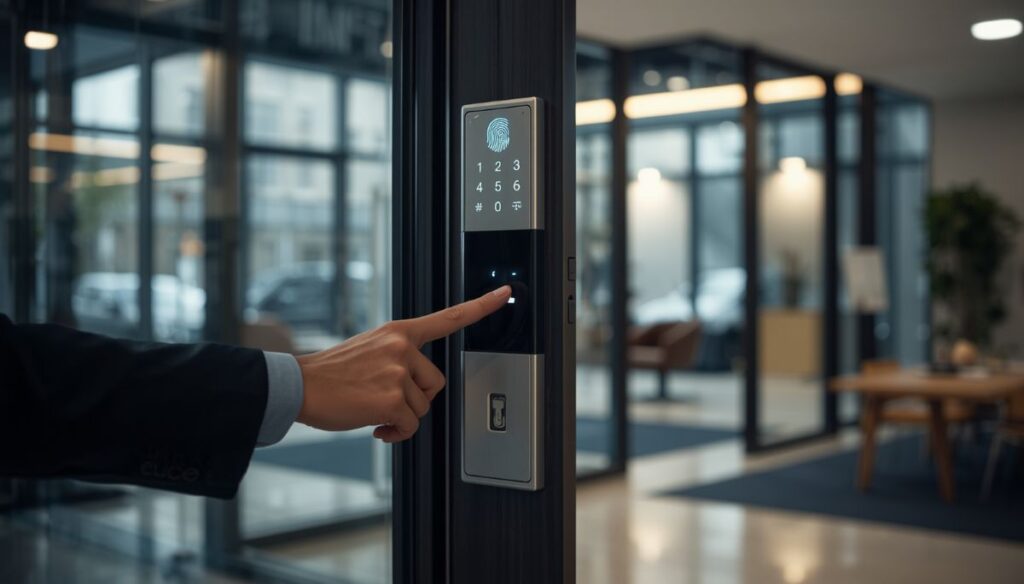
Biometric fingerprint door locks are one of our most popular access control installations in Delta. They cannot be shared, lost, or duplicated, making them ideal for high-security zones or properties where credential sharing is a concern.
Smartphone apps are growing in popularity for both residential and commercial properties. They allow remote access management from anywhere, which is especially useful for property managers overseeing multiple sites.
We also configure anti-passback rules for commercial clients. This prevents a keycard from being used twice in a row without a proper exit being logged first, stopping one person from scanning in and handing their card back to someone else.
Choosing the Right Access Control System for Your Delta Property
Choosing the right access control system in Delta, Surrey, or the Lower Mainland depends on your property type, staff size, and security risks. A retail store in Surrey will have very different needs compared to a warehouse in Burnaby or a medical clinic in Richmond.
Here are the key things to consider before making a decision:
How sensitive is the area you need to protect? A cash office or server room requires tighter control than a general staff entrance.
How large is your team? Larger operations benefit from RBAC because managing individual permissions for dozens or hundreds of people becomes unmanageable fast.
Do access needs change often? If your staffing shifts regularly, flexibility matters. DAC and RuBAC tend to handle changing access needs more easily.
What are your compliance or insurance obligations? If you operate a medical office, legal firm, or any business holding client data, your access setup may need to meet specific standards.
Do you want remote management? For property managers, landlords, or business owners who are not always on-site, remote access management via a smartphone app gives you full control from anywhere in the world.
HTech Knight Security Systems provides a free, no-obligation security assessment for residential and commercial properties across Delta and the Lower Mainland. We will walk through your space, understand your needs, and recommend the right combination of access control systems and credentials for your situation.
Why Delta Properties Trust HTech Knight for Access Control
HTech Knight Security Systems has been protecting homes and businesses across Delta, Surrey, Richmond, Burnaby, and Coquitlam since 2016. We are Delta’s only Three Best Rated security systems company, and our access control installations come with:
- A free on-site assessment with no obligation
- Professional, clean installation by licensed and insured technicians
- Biometric fingerprint locks, keypad systems, and card reader setups
- Remote access management and audit trail logging
- Integration with your existing CCTV, alarm system, or smart automation setup
- 1-year system warranty and affordable annual maintenance contracts
- 24/7 emergency support at 778-798-8570
Whether you need a simple keypad for a small office in North Delta or a full multi-zone biometric access system for a commercial facility in Surrey, we have the right solution and the experience to back it up.
Get Professional Access Control Installation in Delta, BC
Get Professional Access Control Installation in Delta, BC
Whether you need a simple keypad system or a full multi-door access control setup, HTech Knight Security Systems delivers reliable, professional security system installation across Delta, Surrey, and the Lower Mainland.
✔ Free on-site assessment
✔ Custom system design
✔ Clean, professional installation
✔ Ongoing support & maintenance
Call 778-798-8570 today to secure your property.
FAQ's
What is the most secure type of access control?
Mandatory Access Control (MAC) offers the highest security because access rules are enforced by a central authority and cannot be overridden by individual users. For most Delta businesses, RBAC combined with biometric credentials provides an excellent balance of security and practicality.
Can I manage my access control system remotely?
Yes. HTech Knight installs access control systems with remote management capability, allowing you to lock or unlock doors, change permissions, and review access logs from your smartphone from anywhere.
What is the difference between a keycard and a biometric system?
Keycards are convenient and affordable but can be lost, shared, or copied. Biometric fingerprint systems cannot be duplicated or shared, making them more secure for high-risk areas.
Can access control integrate with my existing CCTV or alarm system?
Absolutely. We design integrated security systems that connect your access control, CCTV cameras, and alarm setup into one unified platform. This gives you a complete picture of activity across your property.
How long does access control installation take?
Most residential and small commercial installs are completed in a single day. Larger commercial projects may take two to three days depending on the number of access points and the complexity of the system.
Do I need a permit for access control installation in Delta, BC?
Permits are generally not required for standard access control installations on private property. Our team ensures all installations comply with local BC regulations.
How often should I review access permissions?
We recommend reviewing permissions every six to twelve months, or any time there is a change in staff, roles, or business operations. Our AMC (Annual Maintenance Contract) clients get regular system reviews as part of their package.